As with other attacks,
you can work to avoid ransomware. Experts advise taking these steps to avoid
attacks or protect yourself after an attack:
- Use Always reputable
antivirus software and a firewall. Maintaining
a strong firewall and keeping your security software up to date are
critical. It’s important to use antivirus software from a reputable
company because of all the fake software out there.
- Always update your anti-virus ,scan full scan your PC
- Back up often. If you back up files to either an external hard drive
or to an online backup service, you diminish the threat, says Eisen. “If
you back up your information, you should not be afraid to just turn off
your computer and start over with a new install if you come under attack.”
Eisen backs up his data regularly, so every six months, he simply restores
his computer’s system to default and starts afresh. “I would highly
recommend it,” he says.
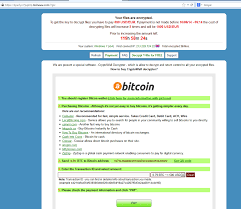
- Enable your popup
blocker. Popups are a prime tactic used
by the bad guys, so simply avoid even accidentally clicking on an infected
popup. If a popup appears, click on the X in the right-hand corner. The
buttons within a popup might have been reprogrammed by the criminals, so
do not click on them.
- Exercise caution. Don’t click on links inside emails, and avoid
suspicious websites. If your PC does come under attack, use another
computer to research details about the type of attack. But be aware that
the bad guys are devious enough to create fake sites, perhaps touting
their own fake antivirus software or their de-encryption program.
- Disconnect from the Internet. If you receive a ransomware note, disconnect from
the Internet so your personal data isn’t transmitted back to the
criminals, says Eisen. He recommends simply shutting down the computer. If
you have backed up your data, you can re-install software. If you don’t
feel comfortable doing so or you are unable to start fresh, you may need
to take your computer to a reputable repair shop, says Eisen.
- Alert authorities. Ransomware is a serious form of extortion. “Local
police are probably not equipped to deal with this,” explains Siciliano.
“However, the local FBI would want to know about it.”


8.
Don’t be tempted to
give in and pay the ransom, warns Siciliano. “Paying them would be a mistake
because they will further extort you and most likely not release your
information.” Taking precautions to protect your information and maintaining
vigilance are the best solutions to avoid becoming a victim in the first place.
9.
Copy your data multi location,like
google drive, on mail,host drive ,
Comments